 Your Success, Our Priority: Our team is here to assist you!
 Your Success, Our Priority: Our team is here to assist you!
Next level of Unlimited Email Marketing at an Affordable Price.
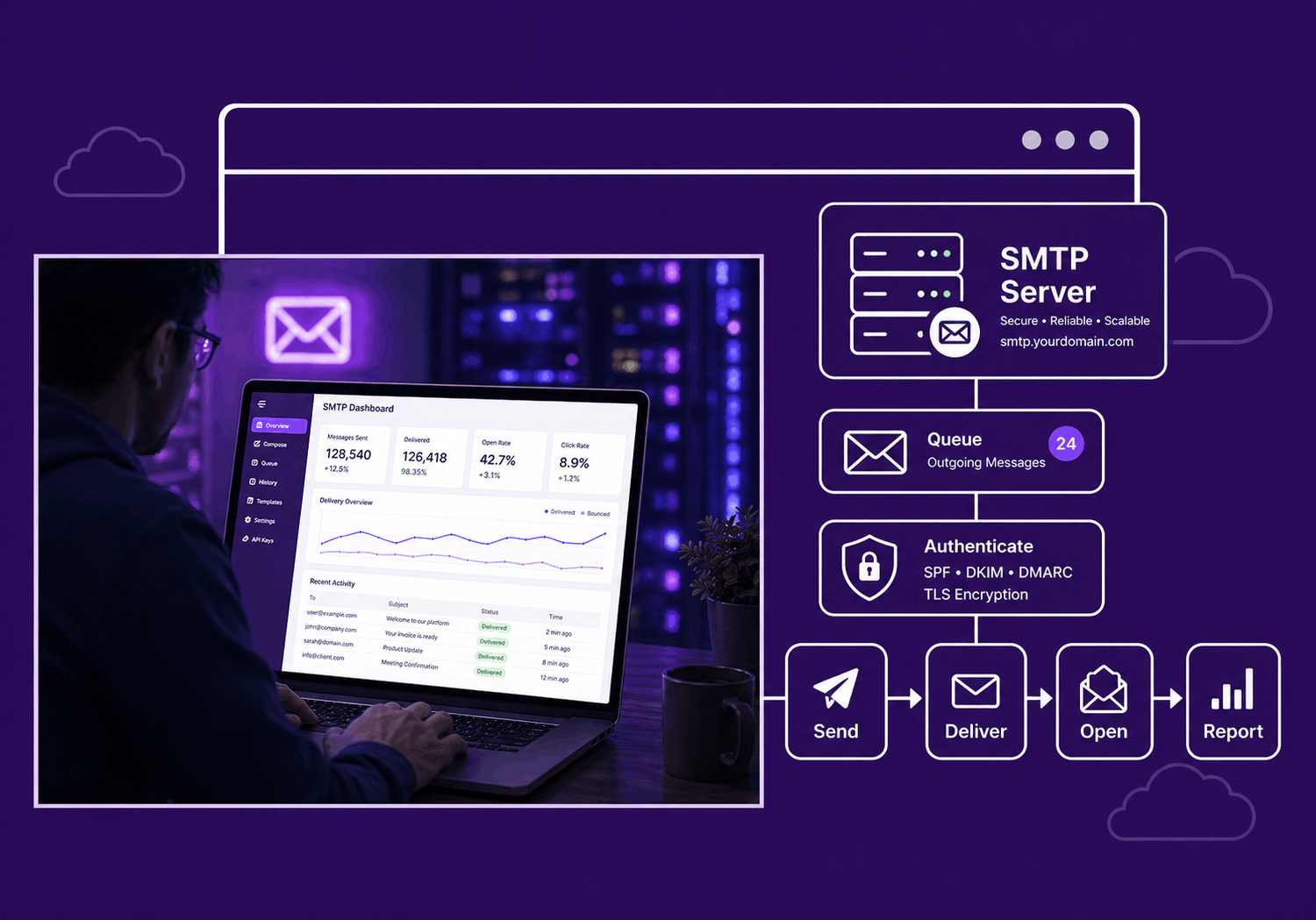
Send emails from your website, application, CRM, or marketing platform with full control, strong authentication, and real-time delivery insights.
Deliver OTPs, password resets, contact forms, invoices, app notifications and transactional emails instantly—with high deliverability and zero delays.
Send critical system emails from Laravel, WordPress, WooCommerce, PHP, Node.js, Python, and more—fast, secure, and reliable.
Send newsletters, customer updates, promotional campaigns, and lead nurturing emails with speed, control, and high volume email delivery.
Default server mail is limited, hard to monitor, and lacks proper controls. SMTP gives you the structure, security, and visibility needed for consistent email operations.
Everything you need to send, monitor, and scale email delivery.
Use standard SMTP ports including 587, 465, and 25 depending on your setup.
Protect your account with username and password-based SMTP authentication.
Track sending activity, failed attempts, and delivery performance.
Improve sender trust with SPF, DKIM, and DMARC authentication records.
Once your SMTP setup is ready, you can scale your sending for newsletters, customer updates, promotional campaigns, transactional notifications, and business communication.
Send only to verified or permission-based contacts
Avoid purchased or scraped email lists
Keep bounce rates low
Include unsubscribe links for marketing emails
Warm up sending volume gradually
Choose a plan based on your sending needs and create your SMTPProvider account.
Get your SMTP host, username, password, port, and encryption details from the dashboard.
Add the SMTP details to your website, app, or CRM and confirm email delivery.
Use standard SMTP credentials to connect your website, app, CRM, or email software.
| Setting | Recommended Value | Purpose |
|---|---|---|
| SMTP Host | smtp.smtpprovider.com | Outgoing mail server address |
| Port | 587 | Recommended TLS sending port |
| Encryption | TLS / SSL | Secure message transmission |
| Authentication | Required | Protects your SMTP account |
| Username | Your SMTP username | Used for login authentication |
| Password | Your SMTP password | Used for secure SMTP access |
An SMTP server is an outgoing mail server that sends emails from websites, applications, CRMs, and email tools to recipients.
Copyright © 2026 All Rights Reserved