 Your Success, Our Priority: Our team is here to assist you!


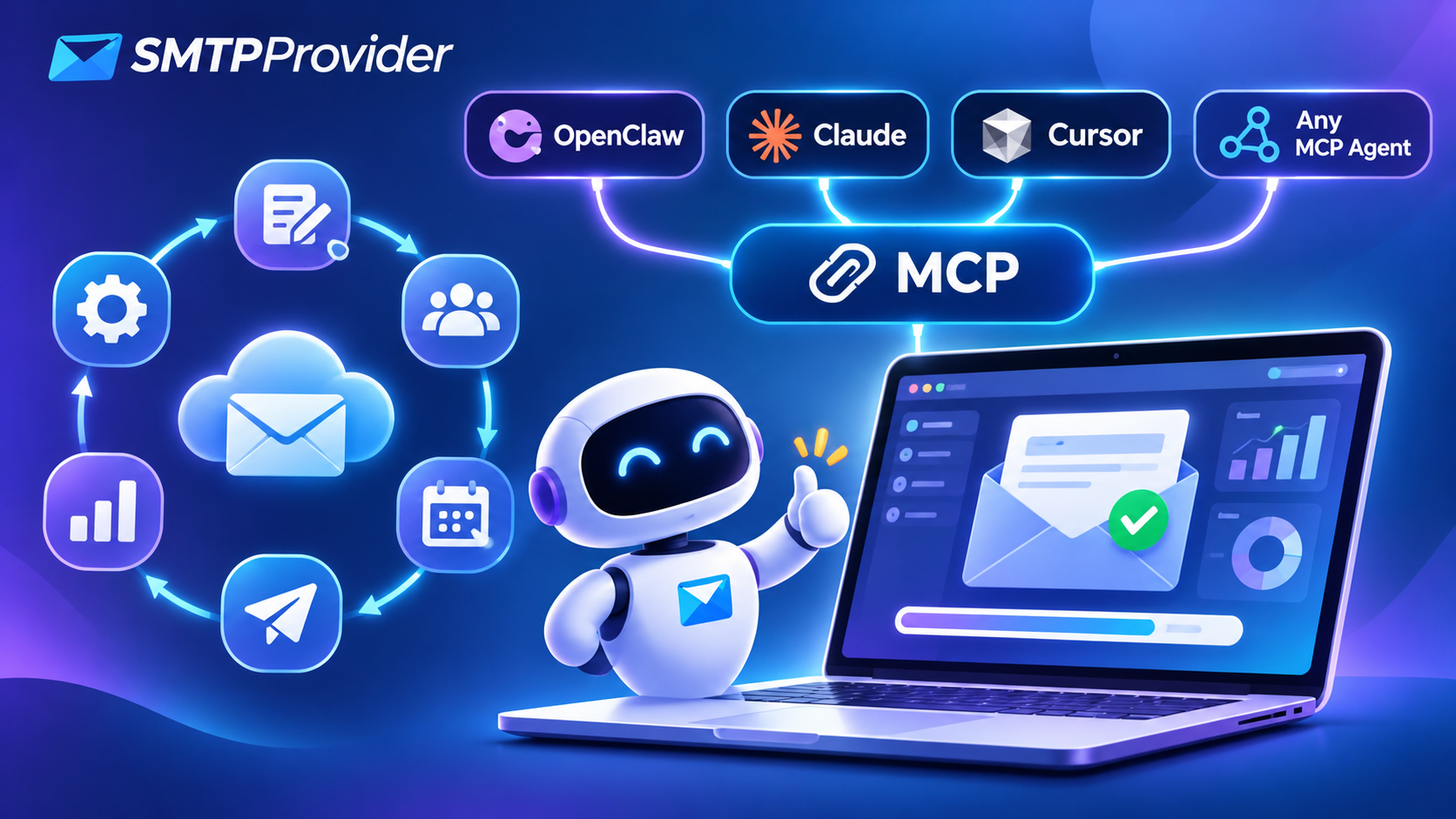
Your AI agent can write a great email in ten seconds.
It just couldn’t send it to 10,000 people. Until today.
SMTPProvider is now on MCP. Connect it to OpenClaw, Claude or any MCP-compatible agent, and your agent can run the whole sending workflow for you: the list, the copy, the send, the tracking and the follow-up.
You say what you want in plain English. It goes out through SMTPProvider’s delivery stack, with real-time reporting, IP warm-up and dedicated IP options behind every send.
What we shipped
SMTPProvider now has an MCP connector. MCP (Model Context Protocol) is the open standard AI agents use to plug into real tools, so “connected” means your agent can do the work, not just describe it.
Once connected, your agent can use your SMTPProvider account the way you do:
- Sending domains: add a domain, get the exact DKIM, SPF and DMARC records, and verify them
- Senders: add and verify the From addresses you send as
- Templates: create, edit and reuse HTML templates
- Lists: create mailing lists and pick the right audience
- Campaigns: create, schedule, pause, resume and update campaigns, sending speed included
- Transactional email: send one-off emails, attachments included
- Reports: pull delivery and bounce reports for any date range
It works with OpenClaw, Claude, Cursor and any other MCP-compatible agent.
The old way vs. the new way
Here is what one campaign looks like today:
- Log in to the dashboard
- Check your domain records are still verified
- Find the right template and rewrite the copy
- Pick the list, the sender and a safe sending speed
- Schedule it, send a test, then send it for real
- Come back tomorrow, pull the bounce report and paste the numbers somewhere
Six steps, a dozen clicks and half a morning. Every single time.
Here is what it looks like now:
“Use our Launch template for the new pricing email, send it to the Trial Users list on Tuesday at 10 AM at a gentle speed, and show me what’s scheduled.”
One message. Your agent picks the template, writes the copy, creates the campaign, schedules it at the speed you asked for, and confirms exactly what is queued.
Things you can now just say
No menus, no syntax. These all work as plain messages to your agent:
- “Set up mail.mybrand.com for sending and tell me exactly which DNS records to add.”
- “Are the DNS records live yet? If yes, verify the domain and add news@mybrand.com as a sender.”
- “Turn these launch notes into a short email in our Launch template. One headline, one button, under 120 words.”
- “Create a campaign for the Webinar Signups list, schedule it for Thursday 9 AM, and keep the speed low because the list is new.”
- “Bounces look high today. Pause the Black Friday campaign and show me which addresses bounced and why.”
- “Write three subject lines, pick the strongest, and swap it into tomorrow’s scheduled campaign.”
- “Email the attached invoice PDF to accounts@client.com with a two-line thank-you note.”
- “Every Monday at 9 AM, message me last week’s delivery and bounce numbers in two lines.” (OpenClaw)
The whole sending workflow, automated
Every stage of the email lifecycle now runs through one conversation:
- Set up. Your agent adds your sending domain, hands you the exact DKIM, SPF and DMARC records, then verifies them once they are live.
- It drafts the subject and body, then saves the HTML as a reusable template in your account.
- It creates a new list or picks the right existing one.
- It creates the campaign with a send time and a sending speed that suits the list.
- Campaigns go out on schedule. One-off transactional emails, attachments included, go out on request.
- It pulls delivery and bounce reports for any date range.
- Something looks off? It pauses the campaign, fixes the subject or content, and resumes.
- It sums up what happened in plain English, on demand or on a schedule.
You stay the decision-maker. Your agent does the clicking.
OpenClaw + SMTPProvider: email ops from your chat
OpenClaw lives in the chat apps you already use. Connect SMTPProvider and your whole email operation runs from the same thread you text in.
The real unlock: OpenClaw doesn’t wait to be asked. Its built-in scheduler runs jobs at set times and posts the results back to your chat, and its heartbeat checks in every 30 minutes by default. Pair that with SMTPProvider and you get:
- A daily delivery brief. Every morning, yesterday’s sends and bounces in two lines.
- A bounce watchdog. If bounces spike on a running campaign, OpenClaw pauses it and pings you before your sender reputation takes the hit.
- Set-and-forget sends. “Next Tuesday at 10 AM, send the reminder campaign to the webinar list.” Said once, sent on time.
Our tip: set OpenClaw to ask for your approval before anything that sends. MCP tools go through the same tool policies as everything else in OpenClaw, so you decide what runs on its own.
Claude + SMTPProvider: from brief to inbox in one chat
Claude is a sharp writer. Now it can hit send too.
Paste your launch notes, a product page or last month’s numbers, and Claude turns them into a campaign: subject lines, body copy and an HTML template saved straight to your SMTPProvider account. Review the draft right there in the chat, ask for changes, then tell Claude to schedule it.
Every action shows up in the conversation, so you see exactly what was created, scheduled or sent.
Developers can add the same connector to Claude Code to send test emails and check delivery logs while they build, without leaving the terminal.
Why it matters
- Hours back every week. The dashboard routine collapses into one message. The time you spent clicking goes back into the business.
- No code, no API docs. SMTPProvider has always had an API. Now your agent speaks it for you, so marketers get developer-level control without writing a line.
- Fewer expensive mistakes. Tell your agent your rules once: verify the domain, send a test first, go slow on a new list. It follows them on every send.
- Always on. With OpenClaw, monitoring and reports run on a schedule. A bounce spike gets caught at 3 AM, not at your 10 AM coffee.
- Writing and sending in one place. The agent that drafts the email is the same one that sends it and reads the report, so nothing gets lost between tools.
- Scales with you. Plans start at $2 a month for 1,000 emails and go up to unlimited SMTP with dedicated IPs. The same agent runs both.
- You stay in control. Claude, Claude Code and OpenClaw can all ask for your approval before a tool runs, so nothing goes out without your yes.
Set it up in 2 minutes
All you need is your SMTPProvider MCP server URL from your dashboard: [ADD: link to the MCP setup page].
- Claude (web and desktop): go to Customize > Connectors, click Add custom connector, paste the URL and finish the sign-in step. Then switch SMTPProvider on from the + menu in any chat. It works on every Claude plan, and Free includes one custom connector. (Claude’s guide)
- Claude Code: run claude mcp add –transport http smtpprovider <your MCP URL>
- OpenClaw: in the Control UI, open Settings > MCP > Add server. Name it smtpprovider, pick Streamable HTTP, paste the URL and save. Run openclaw mcp probe smtpprovider to confirm the tools show up. (OpenClaw’s MCP guide)
- Cursor and other MCP clients: add the same URL as a remote MCP server in the client’s MCP settings.
Then say hello: “List my SMTPProvider domains, senders and campaigns.”
Get started
The SMTPProvider MCP connector is live today.
- Log in, or start free at com
- Connect your agent with the steps above
- Hand it your next campaign
Your agent already knows how to write. Now it knows how to deliver.
Reply and tell us the first email job you’d hand to your agent.