 Your Success, Our Priority: Our team is here to assist you!

What Is an SMTP Server?
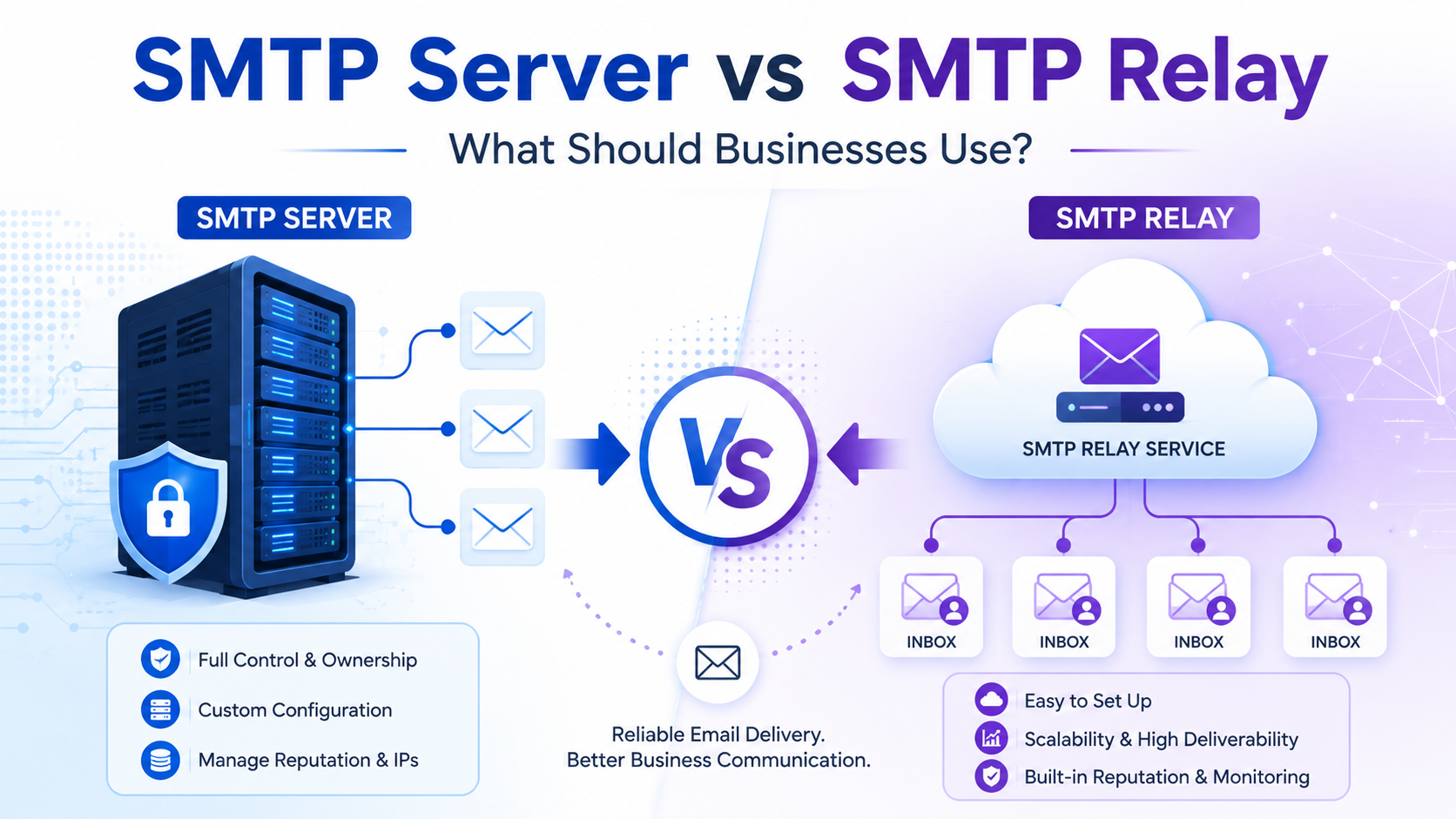
An SMTP server is the mail server responsible for sending, receiving, or forwarding outgoing emails using the Simple Mail Transfer Protocol. When your application, website, CRM, or email client sends a message, the SMTP server processes the email and starts the delivery process.
For example, when a customer resets their password on your website, your system connects to an SMTP server. That server authenticates the request, accepts the message, and attempts to send it toward the recipient’s email provider.
A business can run its own SMTP server or use a professional SMTP service provider. Running your own server gives technical control, but it also requires server management, DNS setup, IP reputation monitoring, bounce handling, security configuration, and ongoing maintenance.
What Is an SMTP Relay?
An SMTP relay is the process or service that transfers email from one mail server to another until it reaches the recipient’s inbox. In business use, an SMTP relay service usually acts as a trusted delivery layer between your system and recipient mail providers such as Gmail, Outlook, Yahoo, and business domains.
Instead of sending directly from your own server to every recipient mailbox, your application sends email through an SMTP relay provider. The relay provider then handles routing, delivery, authentication checks, queue management, bounce processing, and reputation protection.
This is why SMTP relay is often preferred for bulk emails, transactional emails, system notifications, SaaS platforms, eCommerce stores, and high-volume sending.
SMTP Server vs SMTP Relay: The Core Difference
The main difference between an SMTP server and SMTP relay is their role in email delivery.
An SMTP server is the system that accepts and processes outgoing email. An SMTP relay is the mechanism or service that passes the email from one server to another for final delivery.
In simple terms:
- SMTP server: Starts and manages the sending process.
- SMTP relay: Transfers the email across servers and helps deliver it to the recipient.
A business may technically use both. For example, your website or CRM may connect to an SMTP server, and that server may use an SMTP relay provider to deliver emails at scale.
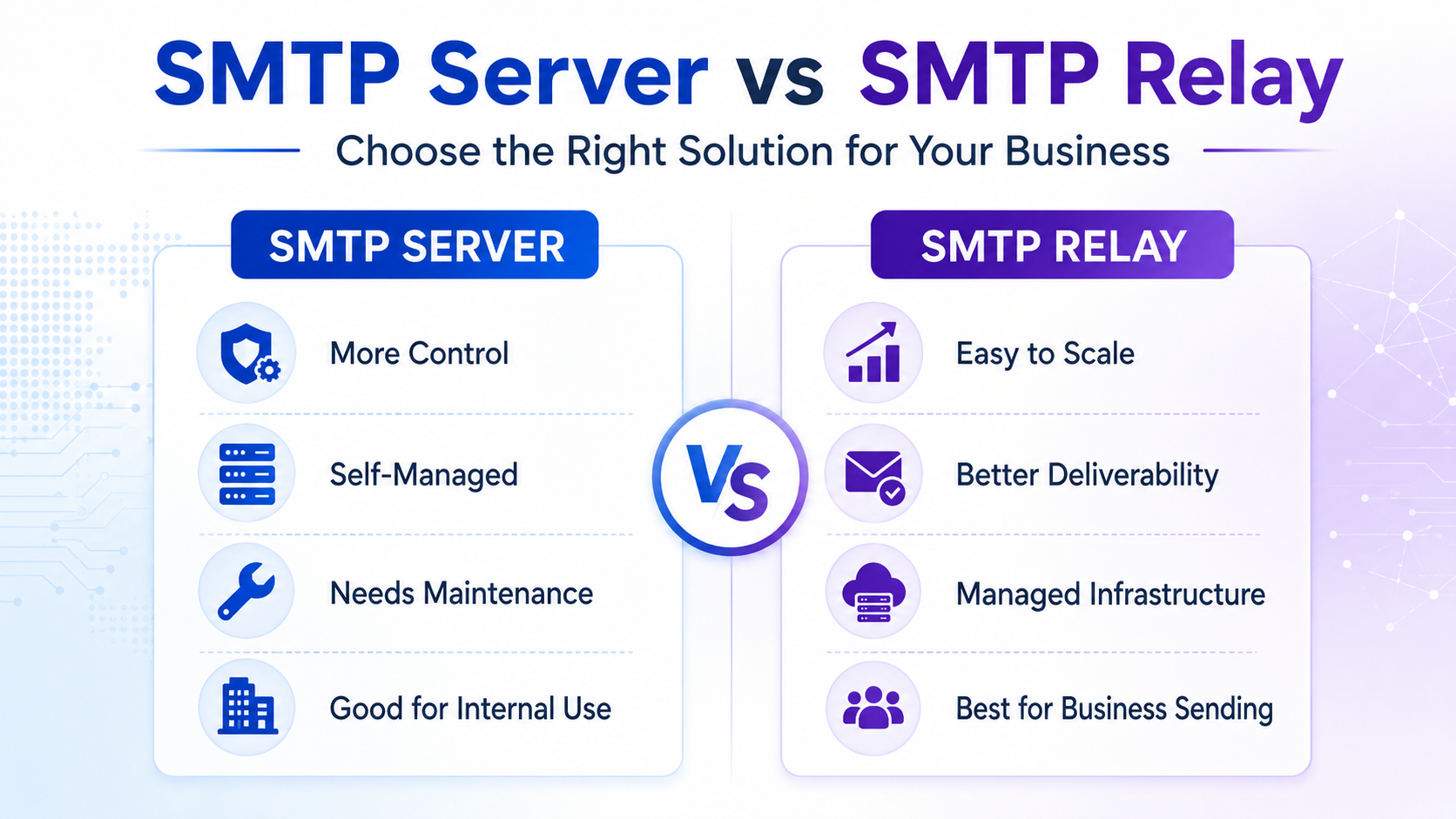
SMTP Server vs SMTP Relay Comparison Table
| Feature | SMTP Server | SMTP Relay |
|---|---|---|
| Main Role | Processes outgoing email requests | Transfers email between servers for delivery |
| Best For | Basic sending, internal systems, controlled environments | Business email, transactional emails, bulk campaigns, high-volume sending |
| Scalability | Depends on server resources and configuration | Designed for scalable email delivery |
| Deliverability | Requires manual reputation and DNS management | Usually includes deliverability infrastructure and monitoring |
| Maintenance | High if self-hosted | Lower when using a managed provider |
| Security | Must be configured carefully | Often includes authentication, encryption, and abuse protection |
| Analytics | Limited unless custom-built | Often includes delivery logs, bounce tracking, opens, clicks, and reports |
| Business Suitability | Good for technical teams with infrastructure expertise | Better for businesses that need reliable, scalable email sending |
How an SMTP Server Works
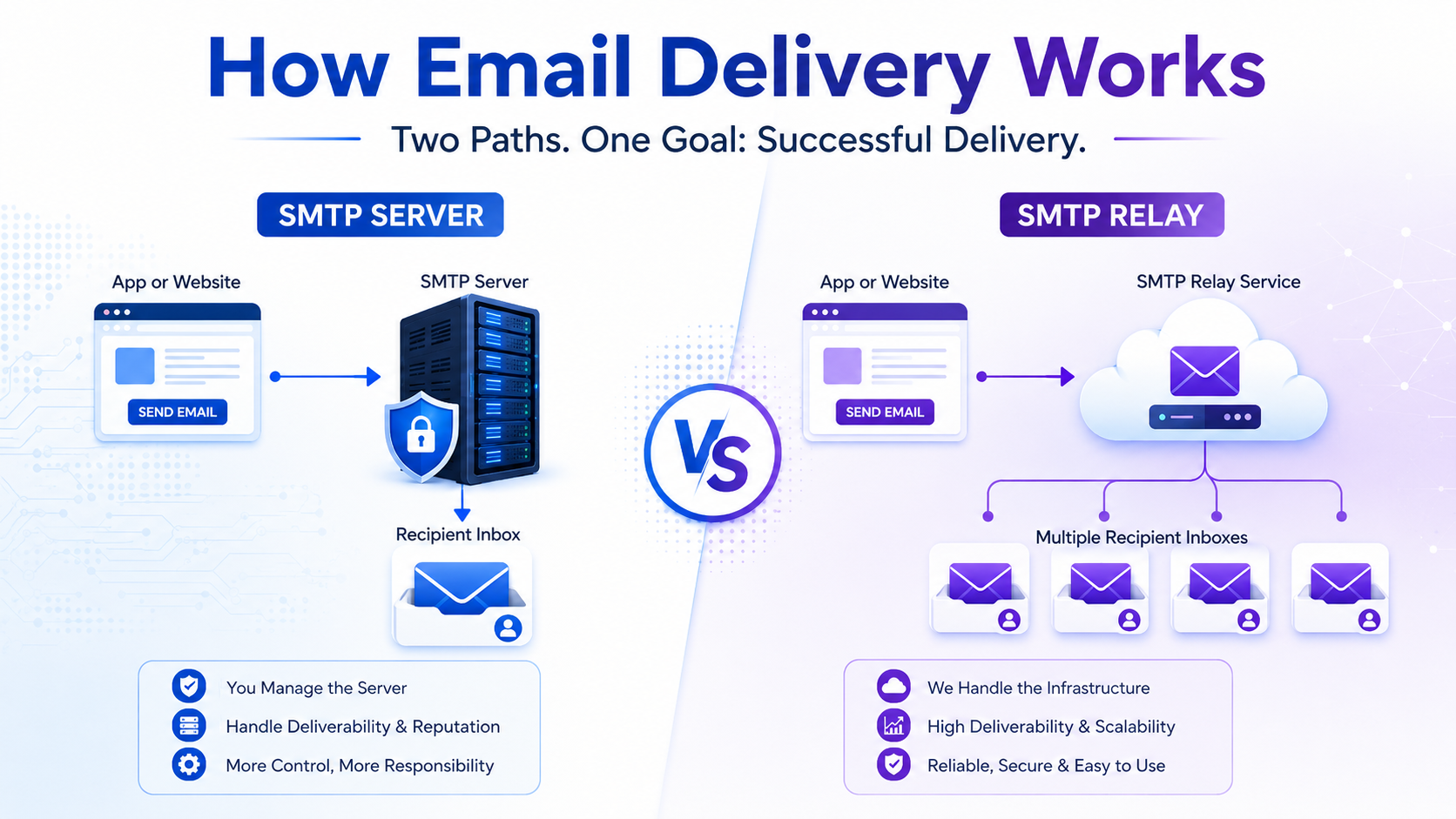
When an email is sent through an SMTP server, the process usually works like this:
- Your application or email client creates the message.
- The message is submitted to the SMTP server.
- The SMTP server authenticates the sender.
- The server checks the recipient domain.
- The email is routed toward the recipient’s mail server.
- The recipient server accepts, delays, rejects, or filters the message.
This process sounds simple, but real-world email delivery is complex. Recipient mail providers analyze sender reputation, IP history, domain authentication, spam complaints, bounce rates, content quality, and sending behavior before deciding whether to place an email in the inbox, spam folder, or reject it completely.
How an SMTP Relay Works
An SMTP relay works as a delivery bridge between your sending system and the recipient’s mail server.
The process usually looks like this:
- Your website, CRM, or application sends the email to the relay provider.
- The relay authenticates your account and domain.
- The email is queued and routed through optimized mail infrastructure.
- The relay communicates with recipient mail servers.
- Delivery results, bounces, deferrals, and failures are tracked.
- You receive logs or analytics to monitor performance.
This makes SMTP relay useful for businesses that do not want to manage complex mail infrastructure themselves.
When Should a Business Use an SMTP Server?
A business may use an SMTP server when it needs direct control over email infrastructure. This can be suitable for companies with technical teams that understand server security, DNS records, IP reputation, mail queues, and deliverability management.
An SMTP server can be useful for:
- Internal company email systems
- Small-scale application notifications
- Private infrastructure environments
- Businesses with dedicated IT or DevOps teams
- Organizations that need full server-level control
However, self-managed SMTP servers are not usually the best option for businesses sending bulk email or customer-facing transactional emails at scale. Without proper configuration, emails may fail authentication checks, land in spam, or damage domain reputation.
When Should a Business Use SMTP Relay?
SMTP relay is usually the better option when email delivery affects revenue, customer experience, or operational reliability.
Businesses should consider SMTP relay for:
- Bulk email campaigns
- Transactional emails
- Password reset emails
- Order confirmations
- Invoice emails
- CRM and sales follow-ups
- SaaS product notifications
- Marketing automation
- Lead nurturing emails
- High-volume customer communication
A managed SMTP relay helps businesses send emails without building and maintaining their own delivery infrastructure. It also provides better visibility into delivery status, failed messages, bounce reasons, and engagement metrics.
SMTP Server vs SMTP Relay for Bulk Email Sending
For bulk email sending, SMTP relay is generally the stronger choice.
Bulk sending requires more than simply pushing emails from a server. It requires proper IP warming, domain authentication, bounce control, unsubscribe handling, complaint monitoring, throttling, segmentation, and compliance with mailbox provider expectations.
A normal SMTP server may send emails, but it may not be optimized for inbox placement at scale. A professional SMTP relay service is built to manage volume, delivery queues, reputation, and reporting.
If your business sends thousands or millions of emails, a managed SMTP solution can help protect your sending reputation and improve campaign reliability.
SMTP Server vs SMTP Relay for Transactional Emails
Transactional emails are time-sensitive. A password reset email, login OTP, payment confirmation, shipping update, or account alert must reach the user quickly.
For transactional emails, SMTP relay is often more practical because it provides:
- Faster delivery routing
- Message queue handling
- Delivery logs
- Bounce tracking
- API or SMTP integration
- High availability infrastructure
- Better monitoring for failed emails
If a password reset email fails, the customer may abandon your platform. If an invoice email does not arrive, your payment cycle may be delayed. For these cases, businesses need reliability more than basic sending capability.
Deliverability: The Biggest Business Difference
The most important difference in the SMTP server vs SMTP relay debate is deliverability.
Deliverability is not just about whether an email was sent. It is about whether the email actually reached the inbox.
A self-managed SMTP server can struggle with deliverability if it has:
- Poor IP reputation
- Incorrect SPF, DKIM, or DMARC setup
- High bounce rates
- Spam complaint issues
- Unstable sending volume
- Blacklisted IP addresses
- Weak monitoring
A professional SMTP relay provider helps reduce these problems by offering infrastructure, authentication support, delivery monitoring, and reputation management.
Security Considerations
Email infrastructure must be secured carefully. A poorly configured SMTP server can become an open relay, which means unauthorized users may abuse it to send spam. This can quickly damage your IP reputation and get your server blacklisted.
Businesses should make sure their email setup includes:
- SMTP authentication
- TLS encryption
- SPF records
- DKIM signing
- DMARC policy
- Rate limits
- Abuse monitoring
- Access control
Managed SMTP relay providers usually make these controls easier to implement compared with maintaining everything manually on your own server.
Cost: Which Option Is More Affordable?
At first, running your own SMTP server may look cheaper. You only pay for the server, hosting, and basic infrastructure. But the hidden costs can be significant.
Self-hosted SMTP costs may include:
- Server setup
- System administration
- Security hardening
- DNS configuration
- Blacklist monitoring
- IP warming
- Deliverability troubleshooting
- Log management
- Downtime handling
SMTP relay services may have a monthly or volume-based cost, but they can save time, reduce technical risk, and improve delivery performance. For most businesses, the commercial value of reliable inbox delivery is higher than the cost of a managed SMTP provider.
Which Is Better for Businesses?
For most businesses, SMTP relay is the better choice, especially when sending customer-facing emails, bulk campaigns, transactional messages, or high-volume email.
An SMTP server gives control, but it also brings responsibility. SMTP relay gives businesses a more scalable and reliable way to send email without managing the full delivery infrastructure.
The best choice depends on your business needs:
- Choose an SMTP server if you need full technical control and have the team to manage it.
- Choose an SMTP relay if you need better deliverability, scalability, tracking, and lower maintenance.
- Choose a managed SMTP provider if you want the benefits of SMTP sending without the complexity of maintaining mail infrastructure yourself.
Why Businesses Prefer a Managed SMTP Solution
A managed SMTP solution combines the sending capability of an SMTP server with the scalability and reliability of SMTP relay. This gives businesses a practical way to send marketing, transactional, and bulk emails from one reliable infrastructure.
With a professional SMTP service, businesses can benefit from:
- Reliable SMTP server access
- SMTP relay for scalable delivery
- Bulk email sending support
- Transactional email delivery
- Real-time tracking
- Bounce and complaint monitoring
- Authentication support
- Improved inbox placement
- Developer-friendly integration
- Expert support
If your business depends on email for sales, support, onboarding, billing, or customer communication, a managed SMTP provider can be a more strategic choice than a basic self-hosted mail server.

Use SMTPProvider for Reliable Business Email Sending
If you are comparing SMTP server vs SMTP relay, the right solution is usually not just one or the other. Businesses need a reliable SMTP infrastructure that can send, relay, track, and optimize email delivery at scale.
SMTPProvider’s SMTP server solution helps businesses send bulk emails, transactional messages, and customer communications with better reliability, scalability, and performance.
Whether you are sending marketing campaigns, invoices, OTPs, password resets, or CRM emails, SMTPProvider gives your business the infrastructure needed to reach more inboxes and reduce delivery problems.
Final Verdict: SMTP Server vs SMTP Relay
An SMTP server is essential for sending email, but SMTP relay is what makes business email delivery more scalable, manageable, and reliable.
For small internal email use, a basic SMTP server may be enough. But for business-critical communication, bulk sending, transactional emails, and marketing campaigns, SMTP relay through a managed SMTP provider is usually the smarter choice.
If your goal is better inbox placement, fewer technical problems, and scalable email delivery, choose a professional SMTP solution that supports both SMTP server access and SMTP relay performance.
Frequently Asked Questions
1. What is the difference between SMTP server and SMTP relay?
An SMTP server processes outgoing email, while SMTP relay transfers email between servers until it reaches the recipient’s mail server. Businesses often use SMTP relay to improve scalability and delivery reliability.
2. Is SMTP relay better than an SMTP server?
SMTP relay is usually better for businesses that send bulk, transactional, or customer-facing emails. An SMTP server gives control, but SMTP relay offers better scalability, tracking, and deliverability support.
3. Do businesses need SMTP relay?
Yes, businesses that send high-volume emails, marketing campaigns, invoices, password resets, OTPs, or automated notifications should consider SMTP relay for reliable delivery.
4. Can I send bulk emails with my own SMTP server?
You can, but it requires careful configuration, IP reputation management, authentication setup, bounce handling, and monitoring. For most businesses, a managed SMTP provider is easier and safer.
5. What is the best option for transactional emails?
SMTP relay is usually the best option for transactional emails because it offers faster delivery, better monitoring, bounce tracking, and higher reliability.